I’m Ian, tech-obsessed since I was eight. Let’s get you up to speed, fast.
Unplug your computer and RAM forgets everything instantly, but your photos, apps and documents are all still there when you turn it back on. That’s because they live in storage, your computer’s permanent memory.
What it is
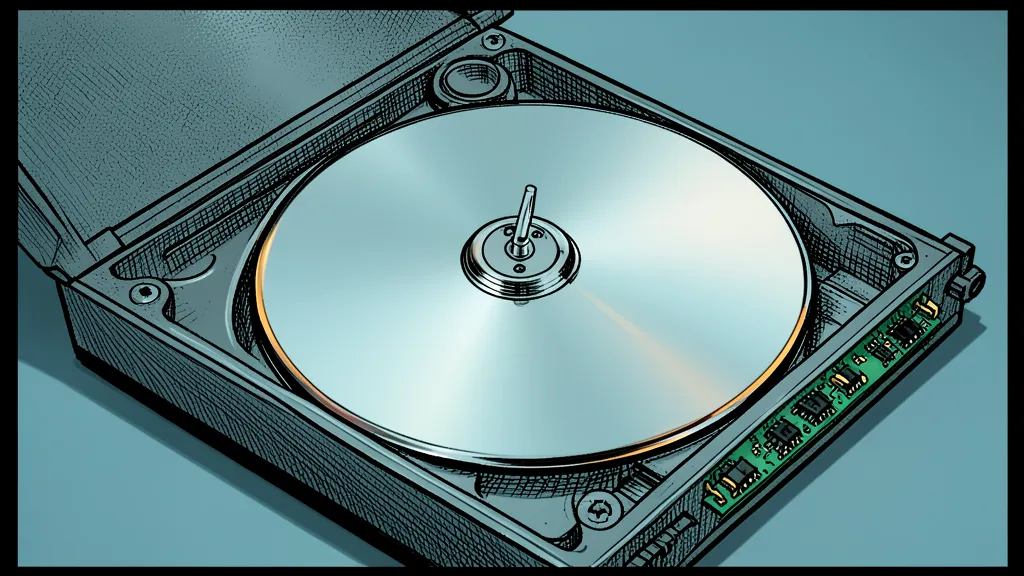
Storage is your hard drive or solid-state drive. Everything you save lives here, and RAM only ever borrows a copy while you’re using it. Think of storage as the textbooks on a shelf, huge, permanent and slower to reach into, and RAM as the whiteboard you’re working on right now. Unlike RAM, storage doesn’t need power to remember anything, which is why it’s called non-volatile.
The hard disk drive (HDD)
There are two common kinds of storage, and they work very differently. The older one is the hard disk drive, or HDD. Inside it is a spinning magnetic disk, called a platter, and a small arm that swings back and forth across it to read and write your data. Every time the computer needs something, that arm has to physically move to the right spot, and that movement takes time. It’s the biggest reason hard drives are the slower of the two.
The solid-state drive (SSD)
A solid-state drive, or SSD, has no spinning disk and no moving arm. It stores your data on memory chips, so nothing has to move before it can find what you asked for. That’s why an SSD can find and deliver your files much faster than a hard drive.
Why it matters
Swapping an older computer’s hard drive for an SSD is one of the biggest speed upgrades you can make, with faster start-ups, faster app launches and less waiting on everything. And when you see a spec like 512 gigabytes of storage, that’s the size of the whole stack of textbooks, which is a separate number from how much RAM the computer has.
What to remember
Storage is permanent, and it comes in two kinds: the HDD, which spins and moves, and the SSD, which doesn’t. Together, RAM and storage are how your computer remembers anything at all.
Hope you found this helpful. You’ll find more free prompts and articles on dos2ai.com.
Want the next one by email? Sign up for free lessons.