I’m Ian, tech-obsessed since I was eight. Let’s get you up to speed, fast.
RAM is the part of your computer that loses everything when the power goes off, and that’s not a flaw, it’s how it’s meant to work. Here’s a quick way to understand what it does and why it matters.
What it is
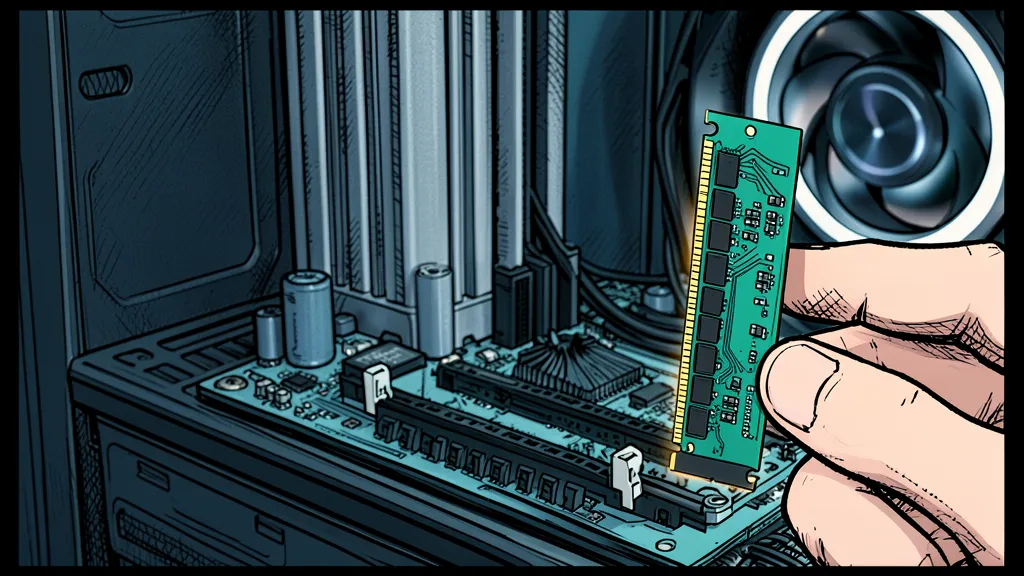
RAM stands for Random Access Memory, and it’s where your computer keeps everything it’s working on right now: the apps you have open, the document you’re typing, the web page you’re reading. In most desktop computers, it comes on small sticks, like the one in the picture, that plug into slots right next to the processor. Many laptops, and Macs with Apple silicon, have their memory built in instead, so it can’t be swapped or added to later.
Think of a classroom
If your computer were a classroom, the CPU would be the teacher, RAM would be the whiteboard, and storage would be the textbooks. Whatever the teacher is working on right now goes up on the whiteboard, because it’s close, quick to change, and easy to switch between. The textbooks hold everything the class could ever need, but to use one, the teacher has to walk over, open it and find the right page.
That’s why the CPU doesn’t work straight out of storage. It copies what it needs from storage into RAM first, because reading and writing there is so much faster.
Why it forgets
A whiteboard gets erased at the end of class, and RAM works the same way. The instant the power turns off, everything in RAM is gone, and that’s what people mean when they call it volatile memory. Your storage doesn’t work that way, since it keeps everything whether the power is on or not. That’s the difference between temporary memory and permanent memory.
It’s also why closing an app without saving loses your work. Whatever you hadn’t saved to storage was only ever on the whiteboard.
Why more RAM helps
When you see a spec like 8 gigabytes or 16 gigabytes of RAM, that’s how big your whiteboard is. If you run out of room, the computer has to keep moving things off the whiteboard and back onto storage just to keep working, and because storage is so much slower, that’s when everything starts to feel sluggish.
What to remember
RAM is fast, temporary working memory, the whiteboard and not the textbooks.
Hope you found this helpful. You’ll find more free prompts and articles on dos2ai.com.
Want the next one by email? Sign up for free lessons.