I’m Ian, tech-obsessed since I was eight. Let’s get you up to speed, fast.
You’ve probably tried to push a cable into the wrong port at some point, and it just wouldn’t go in. That’s not a design flaw. It’s the whole point.
What they are
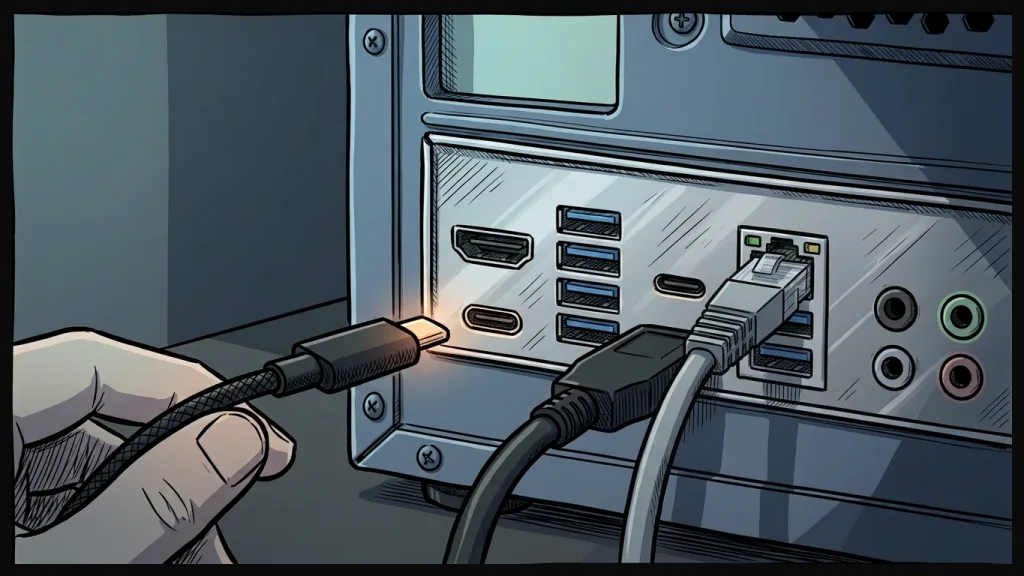
Ports are the connectors along the back or sides of your computer, and every one of them leads straight to the motherboard inside. Every kind of port has its own shape, and that shape isn’t random. It tells you what’s meant to go through it.
Think of the doors on a house
A house has a front door for guests, a mail slot for letters and a garage door for the car, and you’d never mix them up. Try to walk a guest through the mail slot and it simply won’t work. Ports are the same, since the wrong cable just won’t fit the wrong port.
USB
USB stands for Universal Serial Bus, and it’s the most flexible port on the computer. Keyboards, mice, drives and charging cables all go through it, so it handles a huge range of jobs through the same doorway. The newer, small oval USB-C port takes that even further, since one shape can carry data, charging and, on many computers, video too. That makes USB-C the one place where the shape alone doesn’t tell you everything, so check the little symbol next to the port or your computer’s spec sheet.
HDMI
HDMI stands for High-Definition Multimedia Interface, and it has one specific job: carrying video, and usually sound, to a screen. You wouldn’t try to charge your phone through an HDMI port, because it simply isn’t built for that.
Ethernet
The Ethernet port is the slightly wider one with a little clip on the plug, and it’s built for one thing, a fast, steady wired connection to your local network and, from there, to the internet.
Why it matters
Every one of these ports connects back into the motherboard. The port is just the doorway, and the electrical signal going through it is what does the work. So the next time a cable won’t go in, don’t force it. The mismatch is the system working exactly as it was designed.
What to remember
Ports are doors, and each shape tells you what’s meant to go through it: USB for almost anything, HDMI for video, and Ethernet for a wired network.
Hope you found this helpful. You’ll find more free prompts and articles on dos2ai.com.
Want the next one by email? Sign up for free lessons.