I’m Ian, tech-obsessed since I was eight. Let’s get you up to speed, fast.
Before Windows or macOS even starts to load, something else has already run on your computer. It’s called the BIOS (Basic Input Output System), or on newer machines UEFI, and its whole job is done before anything else gets a chance to start.
What it is
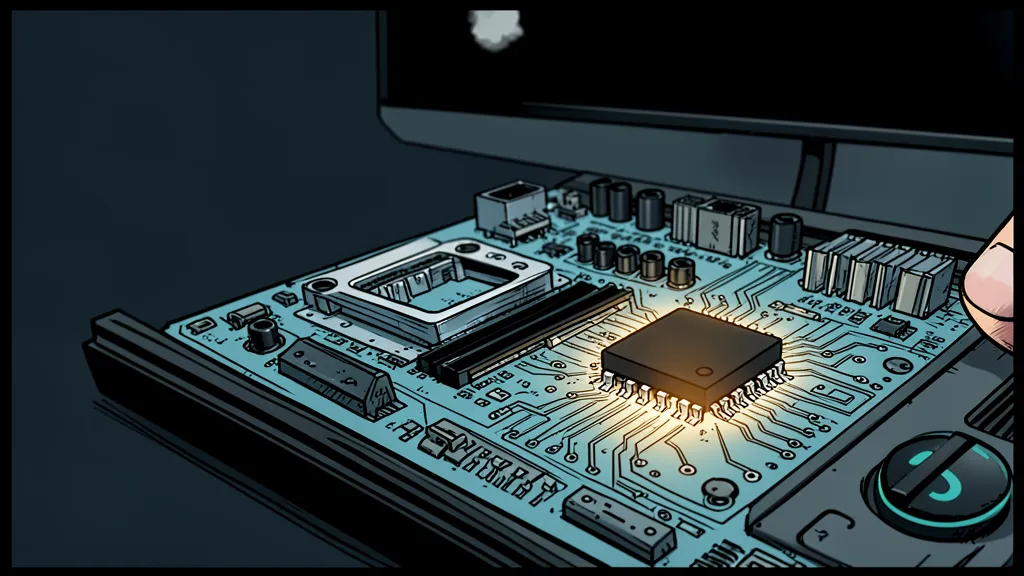
The moment you press the power button, there’s no operating system running yet, so something has to go first. That something is the BIOS, a small, permanent program that doesn’t live on your hard drive at all. It’s stored on its own chip on the motherboard, like the one in the picture. Code that’s built into the hardware like this is called firmware. Newer PCs use UEFI, which is the modern replacement for the old BIOS, but most people still call it the BIOS, and the job is the same.
What it does when you press the power button
First it runs a check called POST, short for Power-On Self-Test, to make sure your core hardware is actually there and working. It runs down the list, the CPU, the memory, the graphics and the drives, and makes sure each one responds before it trusts any of them. Once everything checks out, it finds the drive with your operating system on it and hands control over to it. Only then does Windows, or whatever you run, start to load.
Think of a hotel night manager
Picture a hotel at night. The building’s dark and empty, and the night manager arrives first. They check that the lights work, the elevators run and the doors lock, the whole building, before a single guest walks in. Once everything’s fine, they open the doors and hand the keys to the day staff, who run the actual hotel, and in this picture the day staff is your operating system. The night manager’s routine never changes, no matter what the hotel does during the day.
Why it matters
Ever seen a “no bootable device” error? That message comes from the BIOS, not from your operating system, because the operating system never got the chance to load. The night manager couldn’t find the day staff, so nobody ever opened the doors. It usually means the computer can’t find or read the drive your operating system lives on. Macs work the same way in principle, with their own start-up firmware instead of a PC-style BIOS.
What to remember
The BIOS is the program before your operating system, tiny permanent firmware built into your hardware that checks everything and then hands over the keys.
Hope you found this helpful. You’ll find more free prompts and articles on dos2ai.com.
Want the next one by email? Sign up for free lessons.