I’m Ian, tech-obsessed since I was eight. I took a 250 word short story and made a motion comic video, here’s how.
My kiddo wrote a short story for school. The assignment was under 250 words, the topic was post-apocalyptic, and the rule was to describe the things you’d need to survive. She wrote a diary: Day 10 of hiding in the school library after a chemistry-lab gas leak turned almost everyone into zombies.
I turned that story into a 95-second motion comic. A motion comic is a comic strip that moves: still panels with slow camera moves, a voice reading the words, and music underneath.
Here’s the finished video:
A lot of it really was automated. My AI agents wrote prompts, made images, built the video and checked their own work. But it wasn’t hands-free. It’s a bit like being the director on a film set. The crew does the work, and they’re good at it, but somebody still has to look through the camera and say “again”.
And here’s me walking through the whole process:
Step 1: Gemini for the script and the first look
I started in Gemini with an idea review. I put her whole essay in and asked for a script. Gemini broke it into beats, the short chunks a video is built from, about one picture each, and gave me a script.
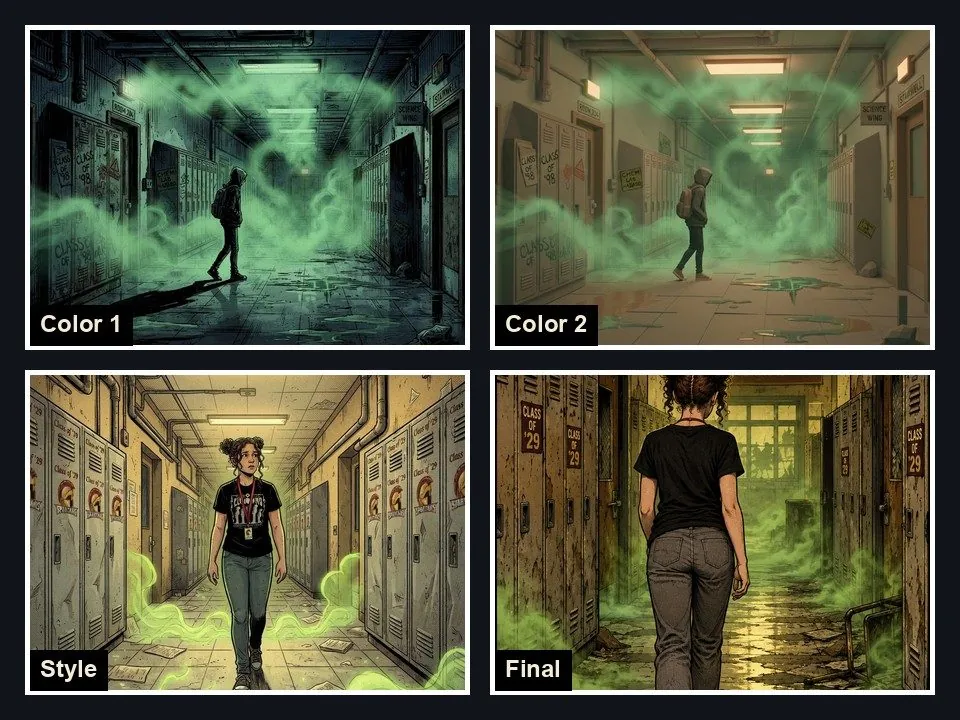
Then I asked Gemini to use Nano Banana, Google’s image model, to make sample pictures. The first four tries were for color, and the next five were for style. I gave feedback on the characters’ look and the general vibe until it felt right.
The story itself never changed. The voiceover is her essay word for word, and the only fix was one typo.
Step 2: one Claude agent, 13 prompts, five image models
Next, I moved everything into my specialized Claude agent, a Claude Code session with one job and its own notes on how I work. This part matters because as I refine, the agent builds up context. So from then on I stayed in Claude, in the same session and on the same model. Stopping and starting a session loses that context, and switching topics dilutes it. For a stretch of time, that agent worked on this story and nothing else.
That agent wrote 13 image prompts, one per beat. Then I had it run all 13 against five different image models. Because it’s trained on my process, I can ask it for 13 images from the 13-beat script on five models, and it goes off and does it. It comes back with images for me to review, however long that takes.
Usually one of the five is a clear winner, the one whose style I like best. It isn’t always the same model. This time it was GPT Image 2.5, run through Adobe Firefly.
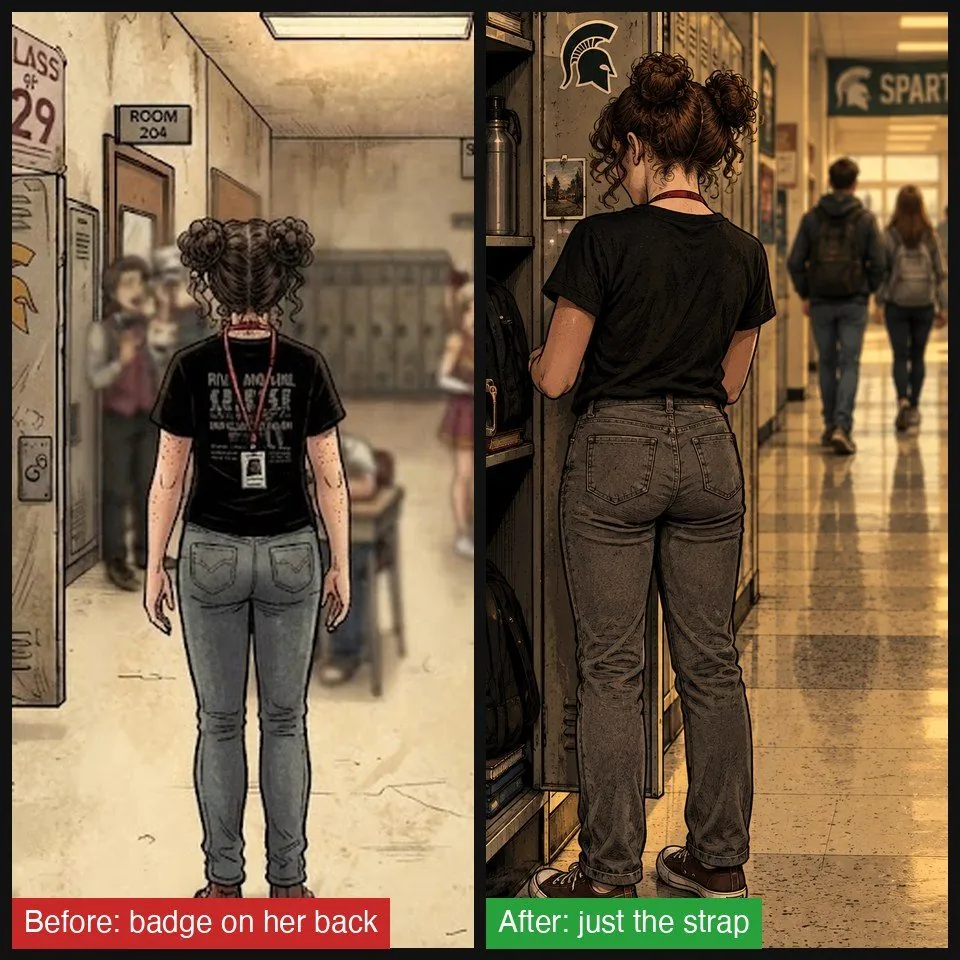
Where I stepped in: I kept refining the prompts when the pictures went wrong. The best example is the narrator’s lanyard. The image models kept putting her ID badge on her back instead of her front. It sounds small, but once you see it, you can’t unsee it, so it became a rule in every prompt.
Step 3: ElevenLabs for the voice and a punk music bed
For the voiceover and the music, I used ElevenLabs. The voice is an AI voice from ElevenLabs version 4, which I directed: I generated whole takes of the script in the ElevenLabs app and kept the one that sounded right, including a whispered last line.
I also made the music in ElevenLabs, a punk rock bed that plays behind the whole video. It fits a story about two kids holding out in a library with hockey sticks and frozen pizza.
Step 4: Remotion and HyperFrames for the video
For the editing and the motion, I use Remotion and HyperFrames. Both let you build a video out of code instead of dragging clips around a timeline, so the agent can make the edits for me. I make the video in both and compare the results.
For refining the video and production, I use Claude Code with Opus 5.5.
Step 5: a review portal, 15 versions, plain-language notes
That brings us to the first draft. I have a web portal that shows me every draft video, version by version. This one went through 15 versions.
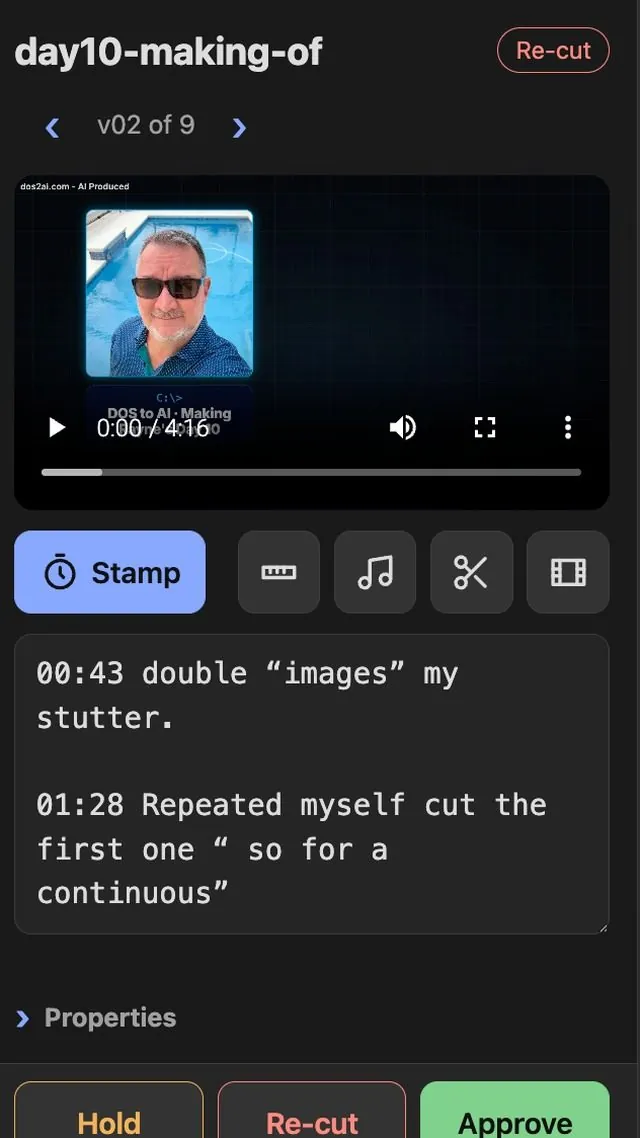
At each version, I can leave feedback on the music, the voice and any edits I want. I write it in plain language, right in the comments for that video, the same way I’d tell a person. “The music is too loud under the whisper” is a perfectly good note.
My agent checks for new feedback on a schedule. If I don’t want to wait, I can tell the agent to check now and get started sooner.
Where I stepped in: every one of those 15 versions was me watching, listening and writing notes. The agent does the work, but deciding when it’s right is still my job.
Step 6: a QA step, added after the double-S bug
The first drafts gave me some trouble: double S’s and an extra word here and there. So partway through, I changed my agent’s process and added a QA step, short for quality assurance, a final check before anything comes to me.
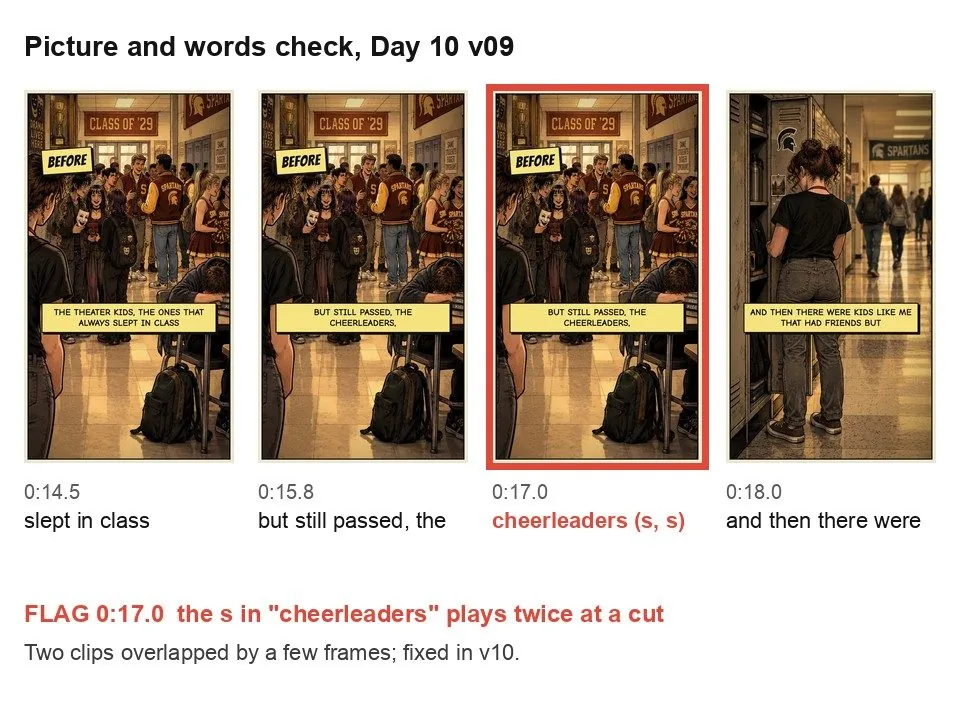
Now it always checks the spoken words against where the text overlays and captions appear on screen. It also turns the voice back into text and makes sure that matches the original script. Mistakes that used to reach me now get caught before I see them.
That’s my favorite part of the whole thing. The process didn’t just make one video. It got better while it made it.
What I took away
I used several AI models to take this from a script, my kiddo’s essay, all the way to a finished video. The agents did the heavy lifting: prompts, images, voice, music, the edit and their own checks. I did the parts that need a person: picking the winner, catching the lanyard, writing the notes and saying when it was done.
This was something really cool I got to do with my kiddo. I had a lot of fun making it, and I hope you enjoyed her story.
Hope you found this helpful. You’ll find more free prompts and articles on dos2ai.com.
Written in October 2026. AI image, voice and video tools change fast, so check each tool’s own pages for the latest.
Not affiliated with or endorsed by Anthropic, Google, Adobe, OpenAI or ElevenLabs. I’m an independent user.
Want the next one by email? Sign up for free lessons.